 ingressive.cloud
Docker
The Ingressive Connector is distributed as a container image that you can run using your preferred container engine.
- Not using containers? You are now.
apt install podman podman-composeimmediately. - Using Kubernetes? You want the Ingress Controller documentation.
Getting Started
To get started with the Connector you need to know three things.
- Connectors (here). A container you install on your origin so Ingressive can pass traffic in.
- Services allow a connector to reach a given host. Localhost, another container, or another host on the network.
- Sites are how you point websites at these services. This is where you configure caching, Access Control, anything else you expect Ingress to do.
To get started, open the Ingressive Console , hit Add, hit Origin. The Console will guide you through installation, adding services, then connecting sites.
Here are the full steps:
To start routing your services using the container image:
- Open the Ingressive Console
- Click Connectors in the side bar.
- Give your connector an ID and a name.
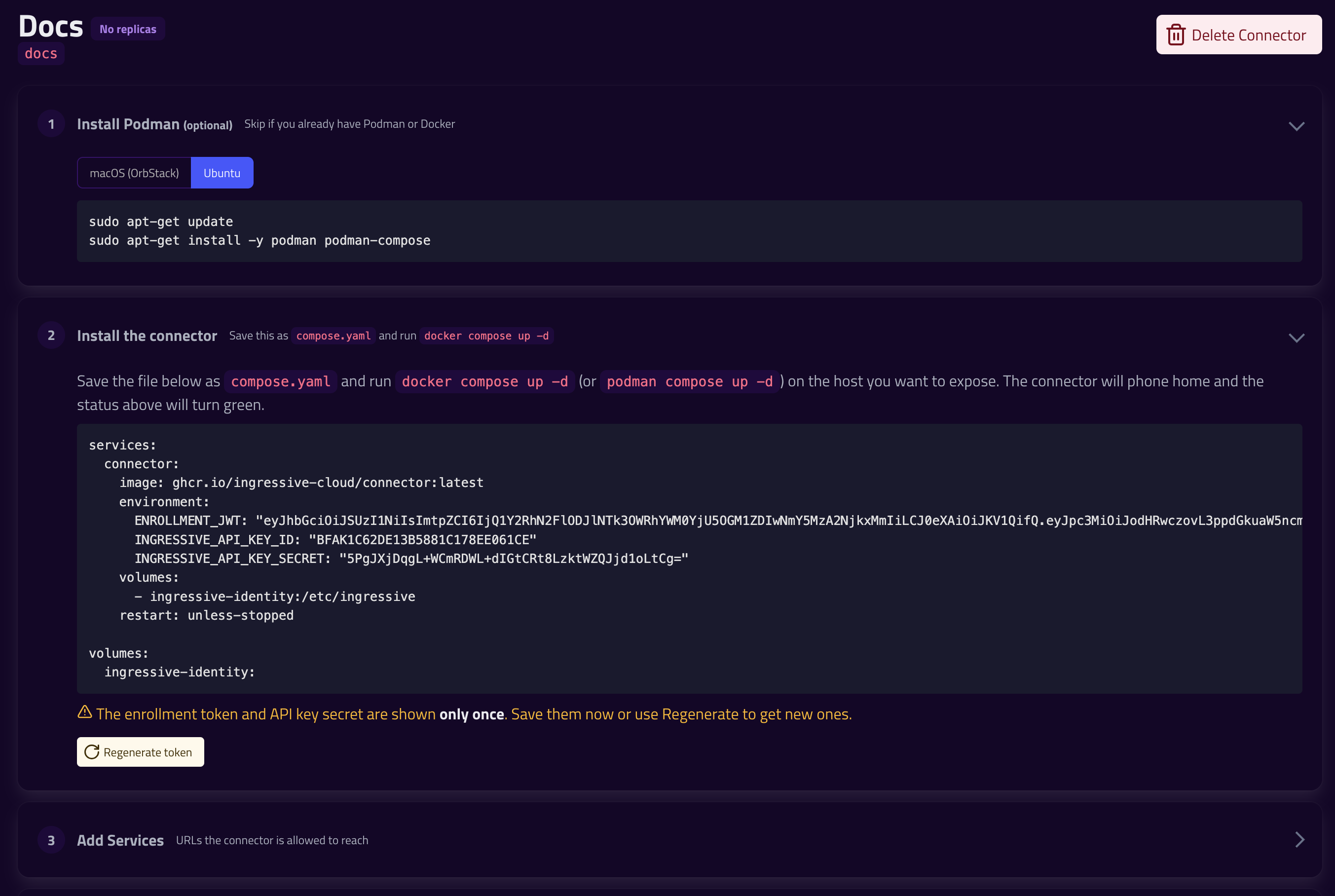
- Use the provided Docker Compose configuration to install the connector
- The Console will see when the Connector has connected to the Ingressive network
- Add a Service to your Connector
- Expand the Sites section to route a Site to a Connector Service
Networking
Remember, the Connector is a container on your machine. localhost points to the local container, not the host.
You can fix this by using host.docker.internal, which is nearly always connected. If not, try adding these lines to your Docker Compose
services:
  connector:
    extra_hosts:
      - "host.docker.internal:host-gateway"
Podman Compose uses host.containers.internal by default.
Host Mode
You can also set the container to network_mode: "host". This allows the Connector to use localhost, but it also gives the container access to everything your computer can access.
services:
  connector:
    network_mode: "host"
Try using host.docker.internal first, try this as a fallback.